
Applies to version 1.11.00 and later.
>
This is a practical route guide for getting Baby Wyvern, hatching Wyvern eggs, and growing a Baby Wyvern into a Special Mount. Official patch notes confirm the pet, feeding, growth, mount registration, Wyvern Saddle, dedicated Baby Wyvern map icon, and several Wyvern fixes. Community testing has filled in the current egg route and interaction flow around Wyvern's Cradle.
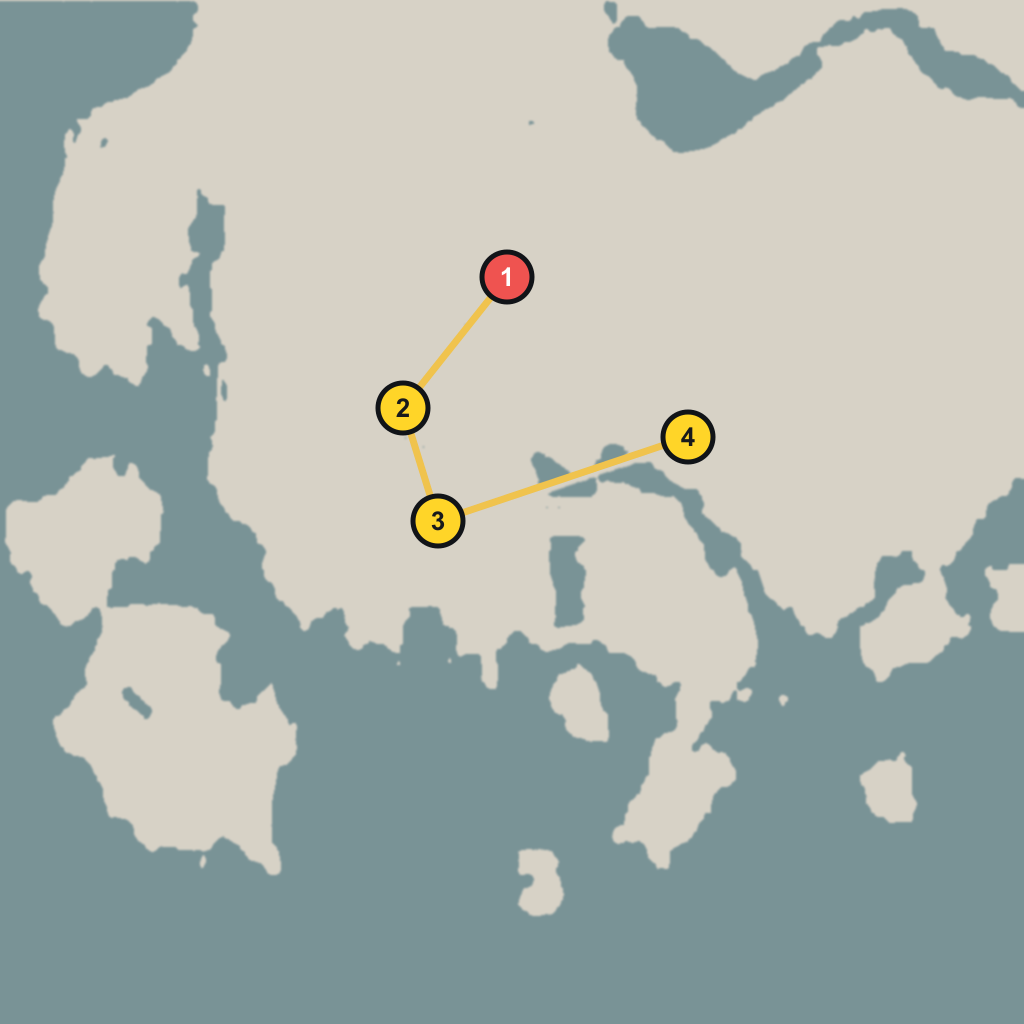
Quick Answer
To get Baby Wyvern, go to Wyvern's Cradle in Delesyia, near the Three Brothers' Cliff area. You need Focused Force Palm to open the blocked cave at the main egg location. Take the Wyvern Egg, place it in the nearby nest, wait until the egg is ready to hatch, then interact with it to register Baby Wyvern as a pet.
To turn Baby Wyvern into a mount, summon it, feed it meat over multiple in-game days until its Level of Growth reaches the required stage, then interact with the grounded Baby Wyvern and use the Grow prompt. After that, it can be registered and used as a Special Mount.
If you want every confirmed egg in one trip, sweep the wider Wyvern's Cradle / Three Brothers' Cliff area before leaving.
What Changed In Recent Patches
| Version | Why it matters for Baby Wyvern |
|---|---|
| 1.08.00 | Added Baby Wyvern as a new pet and allowed wild Wyverns to be temporarily mounted after being subdued. |
| 1.10.00 | Added pet growth for Baby Wyvern and Kuku Bird Chick. Once grown enough, they can be registered as Special Mounts. Wyvern Saddle and Small Wyvern Aviator Hat were added. |
| 1.10.01 | Fixed a crash that could happen while hatching eggs near Wyvern's Cradle. |
| 1.11.00 | Added a dedicated Baby Wyvern map icon, raised pet registration capacity to 100, kept pet names after growth, fixed some Wyvern mount issues, and made Wyvern eggs non-stackable. |
The important takeaway: do this on 1.11.00 or later if possible. Earlier versions have less UI support and had more Wyvern egg / mount issues.
Requirements Before You Go
You should prepare these before riding out:
- Focused Force Palm - needed for the cave blockage at Wyvern's Cradle.
- Empty inventory slots - Wyvern eggs no longer stack after 1.11.00.
- An empty pet slot - Baby Wyvern registers as a pet after hatching.
- Meat or other feeding items - needed later for growth.
- Healing items - Wyvern's Cradle can have hostile Wyvernflame enemies nearby.
- A manual save - save before entering the egg cave and again before hatching.
- Map filters - enable Baby Wyvern, Nest, Stronghold, and Wyvern-related icons.
If you do not have Focused Force Palm yet, keep progressing the main story. It is normally obtained during the Scholastone route in Chapter 4. If you missed that opportunity, later story progress around Chapter 9 can also unlock it.
Recommended Route
Use Delesyia as your search zone. The highest-value point is Wyvern's Cradle, then you can sweep the nearby nests and egg spots before leaving.
Recommended order:
- Wyvern's Cradle - main egg cave and hatch route. Greymane Codex has a dedicated marker for this location.
- Nearby cave entrance area - check outside the first cave before leaving. The nearby blockage, chest, and resources have map markers, but the extra egg pickup does not currently have its own marker.
- Cabin east of the Cradle area - reported egg pickup location in the same cluster. This cabin does not currently have a precise dedicated marker, so use Wyvern's Cradle as the search anchor.
- Small island south of Three Brothers' Cliff - final sweep point. This egg spot does not currently have its own marker; use the Three Brothers' Cliff Wyvern Nest marker as the nearby reference point.
- Forsaken Wyvern Nest / Desolate Wyvern Nest / Forgotten Wyvern Nest - backup route if your map icon or interaction does not appear. All three backup nests have dedicated map markers.
Use these Greymane Codex map links while checking the area:
Step 1: Reach Wyvern's Cradle
Travel to Wyvern's Cradle in southwest Delesyia, around the Three Brothers' Cliff / Dewhaven side of the region.
When you arrive:
- Clear nearby Wyvernflame enemies so they do not interrupt the cave interaction.
- Open the map and check whether the Baby Wyvern icon appears.
- Look for the cave entrance inside the Wyvern's Cradle area.
- If an NPC or quest conversation is blocking the interaction, speak to the nearby Shai/NPC first and exhaust dialogue.
- Return to the cave wall and aim Focused Force Palm at the mineral blockage.
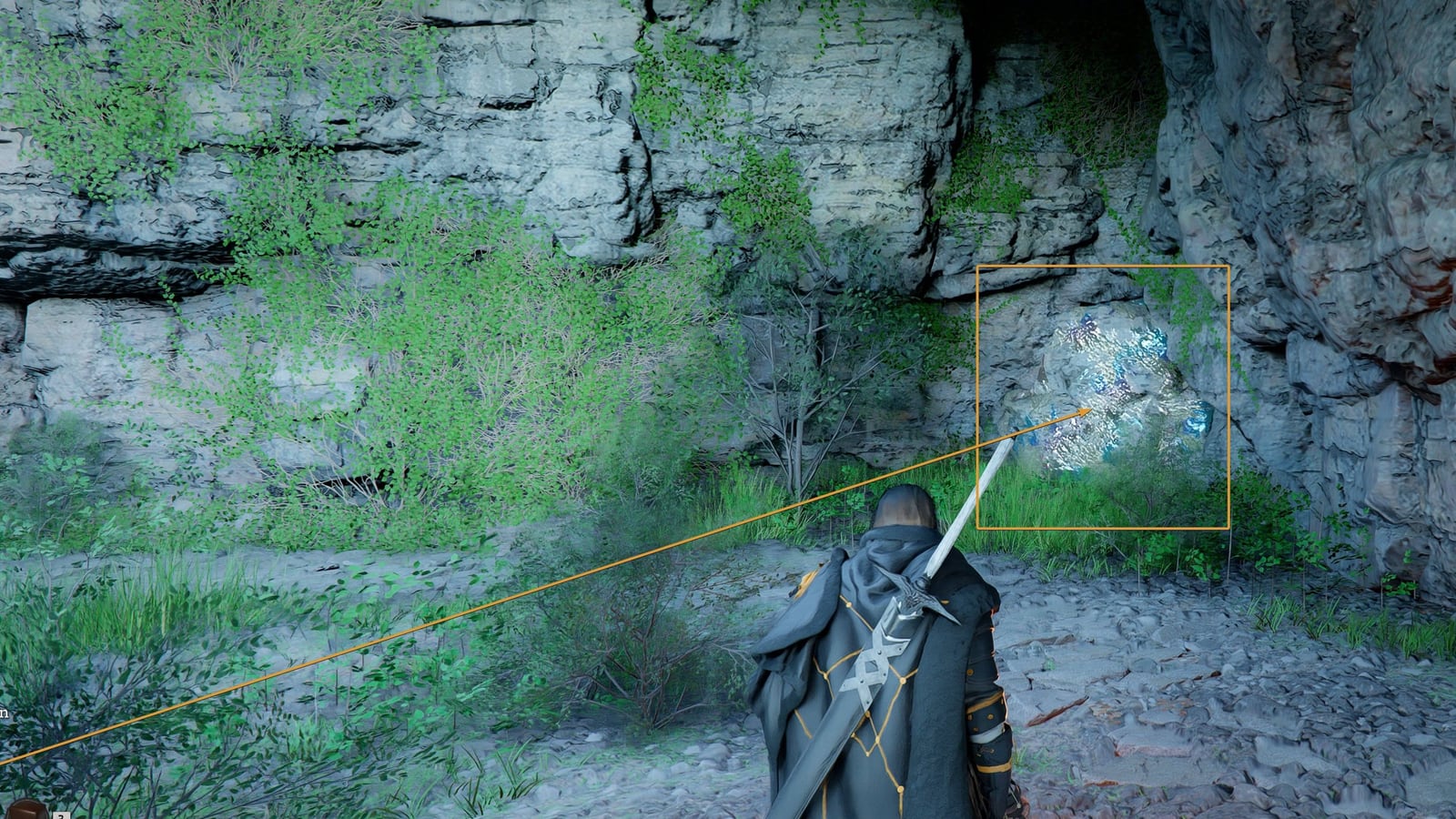
The cave entrance interaction can be picky. If Focused Force Palm does not trigger, do not assume the route is broken. Re-check dialogue nearby, reposition at the blocked wall, and try again from a few angles.
Step 2: Open The Cave With Focused Force Palm
At the blocked cave entrance:
- Equip or select Focused Force Palm.
- Aim at the blocked mineral / bismuth-looking wall.
- Hold the ability until the targeting feedback appears.
- Release when the prompt flashes or the lock-on feels correct.
- Enter the cave after the blockage breaks.
Inside the cave, look for:
- A Wyvern Egg.
- A nearby treasure chest.
- Any interact prompt that mentions egg, hatch, carry, or nest.
Pick up the egg before leaving. If the area contains a chest, loot it while you are already inside so you do not need to reopen the route later.
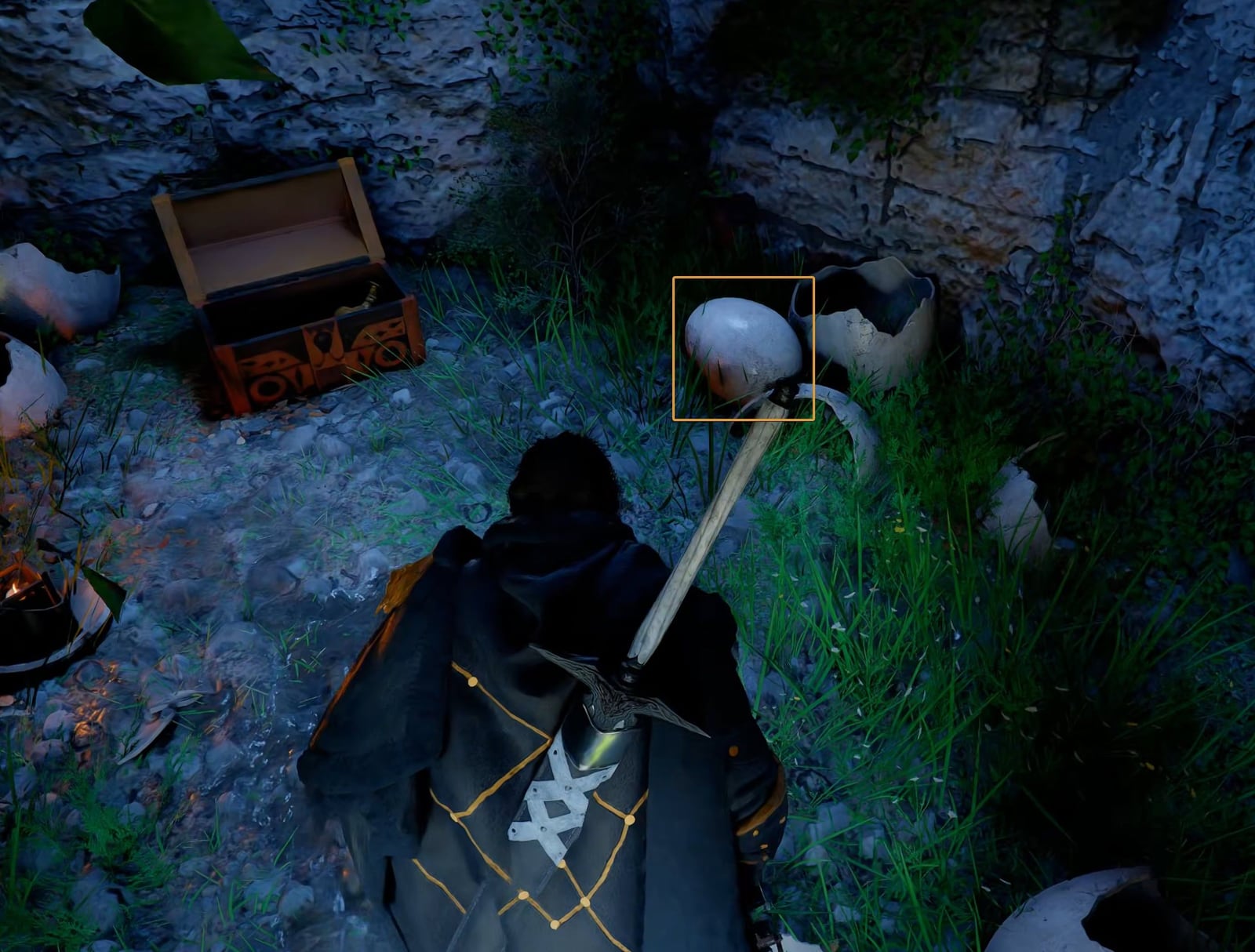
Step 3: Carry The Egg To The Nest
After picking up the egg, carry it back out of the cave and down toward the nest area.
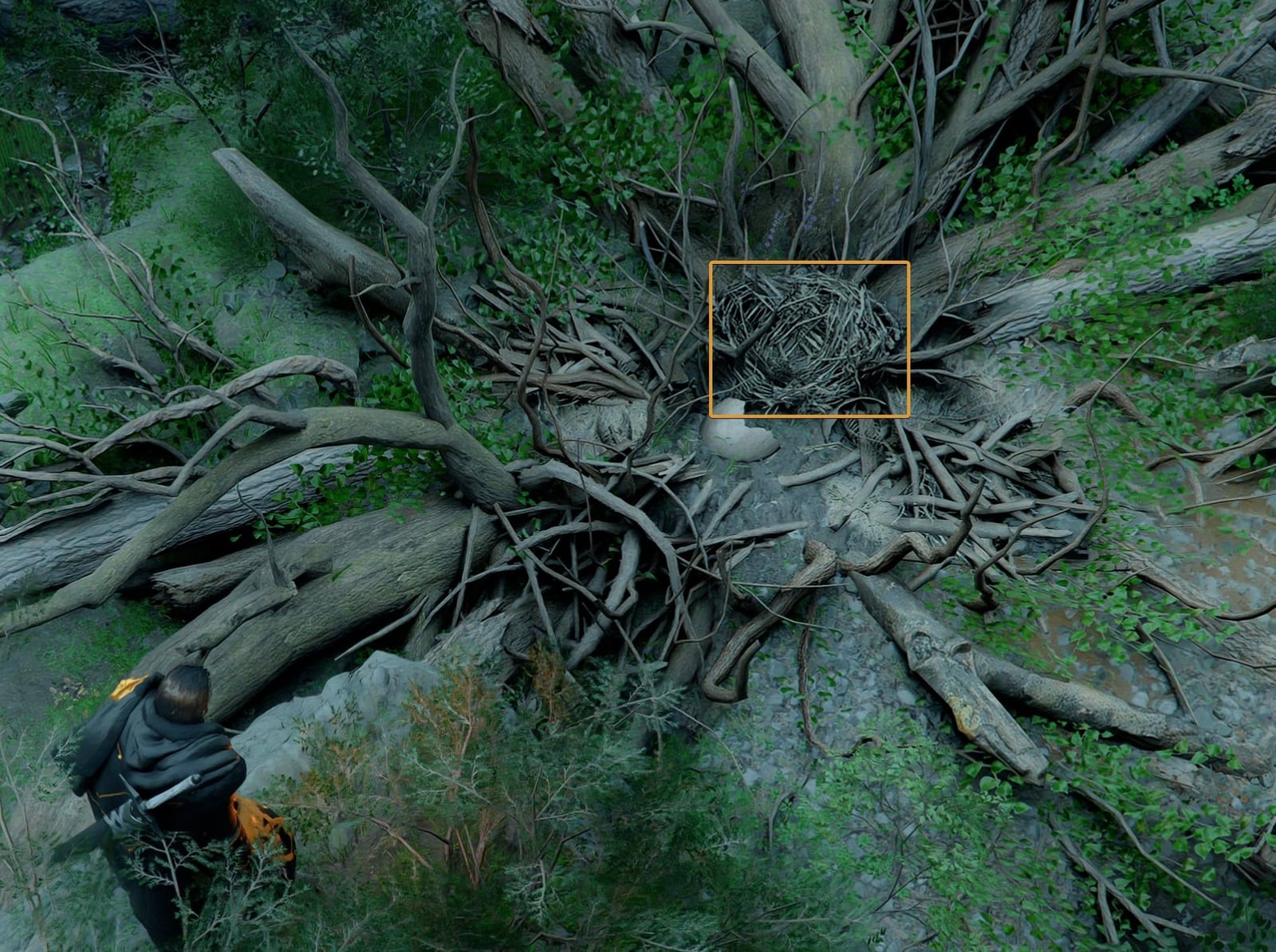
The key detail is placement. Put the egg in the center of the twig nest, not merely near the nest edge. If the placement is correct, the egg should begin its hatch sequence.
After placing the egg:
- Stay in the area.
- Watch for shaking, glowing, or a hatch prompt.
- Wait a few real-time minutes if nothing happens immediately.
- Interact with the egg once the hatch prompt appears.
- Confirm Baby Wyvern appears and registers as your pet.
If the egg does not react, pick it back up if possible and place it again more centrally. If that still fails, save, reload, and repeat the placement.
Step 4: Check The Other Egg Spots
Patch 1.10 made multiple Wyverns more useful because Baby Wyverns can grow into mounts. Community route testing has confirmed several egg pickups clustered around the same wider Wyvern's Cradle / Three Brothers' Cliff area.
Before leaving, check these extra spots:
Egg near the cave entrance
After collecting the cave egg, scan the immediate outside area. Greymane Codex has nearby markers for the blockage, chest, and resources around Wyvern's Cradle, but this extra egg pickup does not currently have its own marker. It is close enough that you should not ride away until you have checked the cave mouth, nearby rocks, and nest approach.
Cabin east of the Cradle cluster
Move east from the first cave / nest area and look for a small cabin. This cabin does not currently have a precise dedicated marker, so use Wyvern's Cradle as the anchor and search east from there. If enemies control the cabin, clear them first, then search inside for an egg pickup.
Small island south of Three Brothers' Cliff
Head south from the cliff area and check the small island. This island egg spot does not currently have its own marker; use the Three Brothers' Cliff Wyvern Nest marker as the nearby reference point. Depending on your route, you may need to glide, swim, or approach from a nearby shoreline. Search the island before returning to the main road.
Backup nest markers
If your Baby Wyvern icon does not appear or the interaction chain feels incomplete, sweep Forsaken Wyvern Nest, Desolate Wyvern Nest, and Forgotten Wyvern Nest. These are good backup checks because they are all Wyvern-themed nest points in the same broader region, and each one has a dedicated Greymane Codex map marker linked above.
Step 5: Confirm Baby Wyvern Is Registered
Once the egg hatches:
- Open the pet menu.
- Confirm Baby Wyvern appears in your pet list.
- Rename it if you want. After 1.11.00, grown pets should keep their names.
- Summon it once to confirm it follows you correctly.
- Check whether the equipment slot mentions Small Wyvern Aviator Hat or other pet equipment.
Do not leave the area until the pet menu confirms registration. If Baby Wyvern appears in the world but does not show in the pet menu, reload and check the hatch interaction again.
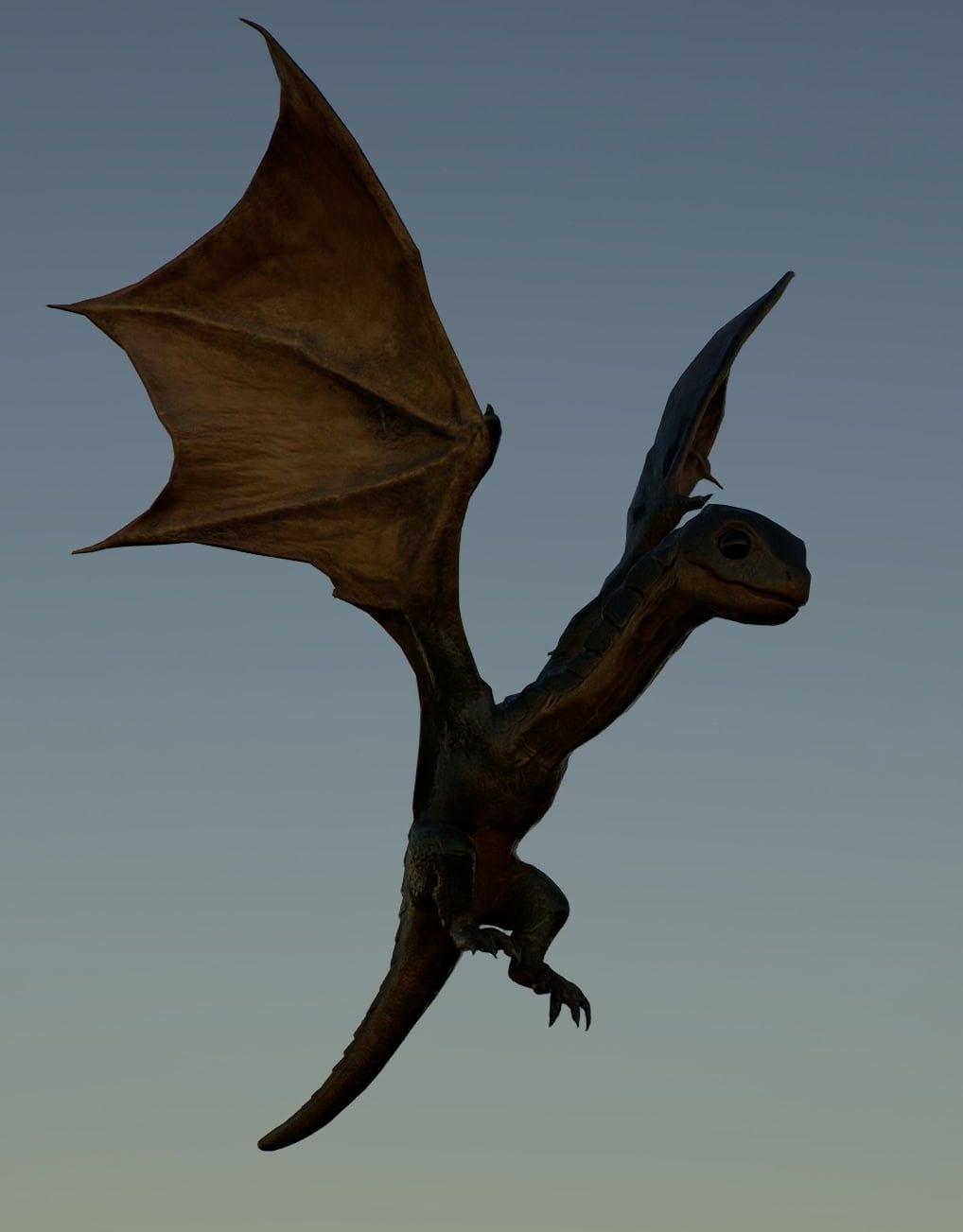
Step 6: Grow Baby Wyvern Into A Mount
Baby Wyvern does not become a mount immediately. It has to be fed and grown first.
The current growth loop:
- Summon Baby Wyvern from the pet menu.
- Open the pet details and check Level of Growth.
- Feed it meat or the accepted food item.
- Wait until the next in-game day if the growth meter stops increasing.
- Repeat until it reaches the required growth stage.
- Bring the Baby Wyvern down to the ground.
- Interact with the Grow prompt.
- Register the grown Wyvern as a Special Mount.
Several player-tested routes report that growth takes three feeding stages and roughly three in-game days. Treat that as the current practical target, but check the in-game meter first because future patches may tune feeding limits.
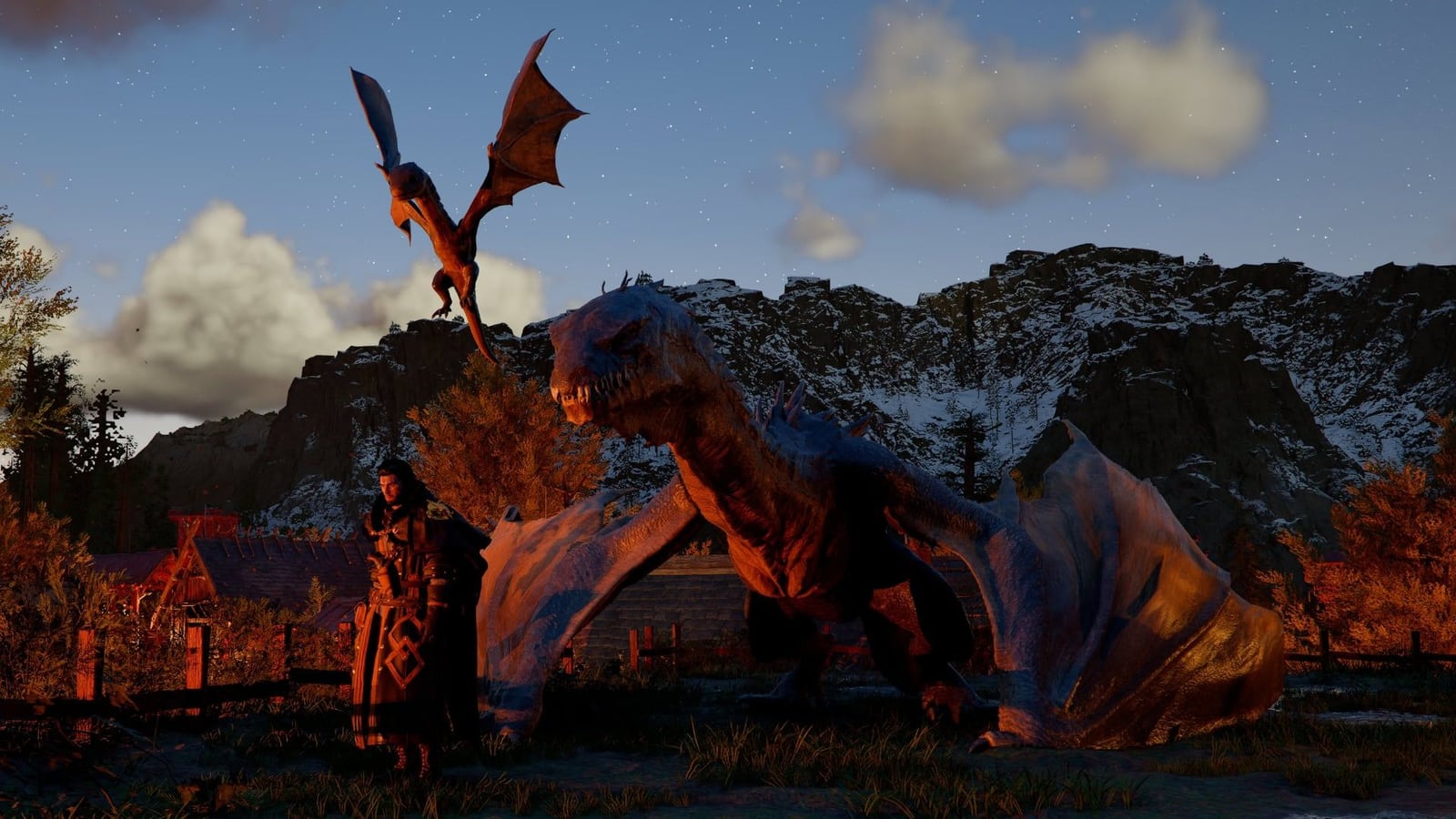
How To Trigger The Grow Prompt
If Baby Wyvern is flying beside you and you cannot see the Grow prompt:
- Summon Baby Wyvern in an open, safe area.
- Look directly at it.
- Use the pet interaction command to call it down to the ground.
- Wait for it to land.
- Stand close and check the interaction list.
- Choose Grow once the prompt appears.
If the prompt does not appear, the usual reasons are:
- Growth level is not high enough.
- You already fed it as much as the current day allows.
- The area is unsafe or blocked.
- Baby Wyvern is still airborne.
- You are on an older patch.
Wyvern Saddle And Equipment
Patch 1.10.00 added Wyvern Saddle and Small Wyvern Aviator Hat as equipment for the mount and pet sides of the system.
Wyvern Saddle (Mount Equipment)
Once your Baby Wyvern grows into a mount, buy the Wyvern Saddle from the Saddlery south of the City of Delesyia. Open the mount equipment tab and look near the bottom of the saddle list. The saddle adds +20 Defense and changes the flight rig appearance. You can fly without it, but it is a worthwhile pickup on the way back from Wyvern's Cradle.
Small Wyvern Aviator Hat (Pet Equipment)
Buy the Small Wyvern Aviator Hat from the Pets - Tailor's Shop. This is a cosmetic hat for the Baby Wyvern while it is still in pet form.
If the mount is registered but cannot be ridden, update to 1.11.00 or later. Patch 1.11.00 specifically fixed some Wyvern mount states and improved mount behavior.
Re-Blockade Along The Route
The Wyvern route passes through stronghold and nest areas. After patch 1.10.00, Re-Blockade can make liberated areas hostile again.
If you only want Baby Wyvern:
- Do the egg and hatch route first.
- Avoid long stronghold fights unless enemies block the cave or cabin.
- Confirm pet registration.
- Return later for Re-Blockade cleanup.
If you want resources too, clear the Re-Blockade after hatching. Rewards can include contribution, provisions, and trade goods.
Troubleshooting
Focused Force Palm does not work on the cave
Talk to the nearby NPC/Shai first, exhaust dialogue, then try again at the blocked wall. Reposition if the ability is targeting the wrong surface.
I picked up the egg but it will not hatch
Place it in the center of the twig nest. If it still does not react, reload, return to the nest, and place it again. Patch 1.10.01 fixed an egg-hatching crash near Wyvern's Cradle, so update if you are on an earlier build.
I cannot feed Baby Wyvern again
Growth appears to be time-gated. Wait for the next in-game day, then try feeding again. Also check that you are using accepted meat/food.
The mount transformation prompt is missing
Check growth level, summon Baby Wyvern in a safe area, call it down to the ground, then interact again. If it is still flying, the Grow prompt may not show.
I want more than one Wyvern
Collect the extra eggs around the same Three Brothers' Cliff cluster before leaving. Eggs are one-time pickups and do not stack, so bring inventory space.
Fast Checklist
- Update to 1.11.00 or later.
- Unlock Focused Force Palm.
- Travel to Wyvern's Cradle in Delesyia.
- Clear enemies near the cave.
- Speak to the nearby NPC/Shai if the cave prompt does not work.
- Break the blocked cave wall with Focused Force Palm.
- Pick up the Wyvern Egg inside.
- Place it in the center of the nearby nest.
- Wait for the hatch prompt.
- Hatch Baby Wyvern and confirm pet registration.
- Sweep nearby extra egg spots if you want multiple Wyverns.
- Feed Baby Wyvern over multiple in-game days.
- Reach the required Level of Growth.
- Call it down, use Grow, and register the Special Mount.
- Look for Wyvern Saddle and pet equipment afterward.
Sources
- Patch Notes Version 1.08.00
- Patch Notes Version 1.10.00
- Patch Notes Version 1.10.01
- Patch Notes Version 1.11.00
- PC Gamer: Baby Wyvern pet and mount route
- ConsolePulse: all four Wyvern egg locations
- VULKK: Baby Wyvern egg and hatch walkthrough
Version Note
This guide is intentionally written as a practical route, not a final database entry. If Pearl Abyss changes the accepted food, egg count, hatch timer, or Special Mount registration menu, update the troubleshooting and growth sections first.